A printer paper jam can stop important work at home, in an office, or at a busy business location. 📄🖨️ You may send a document for printing, but the paper gets stuck inside the machine and the printer displays a paper jam error. This is one of the most common printer problems faced by users.
Many people immediately search Google for “Printer Paper Jam”, “How to Fix Printer Paper Jam”, or “Printer Keeps Jamming Paper” when this happens.
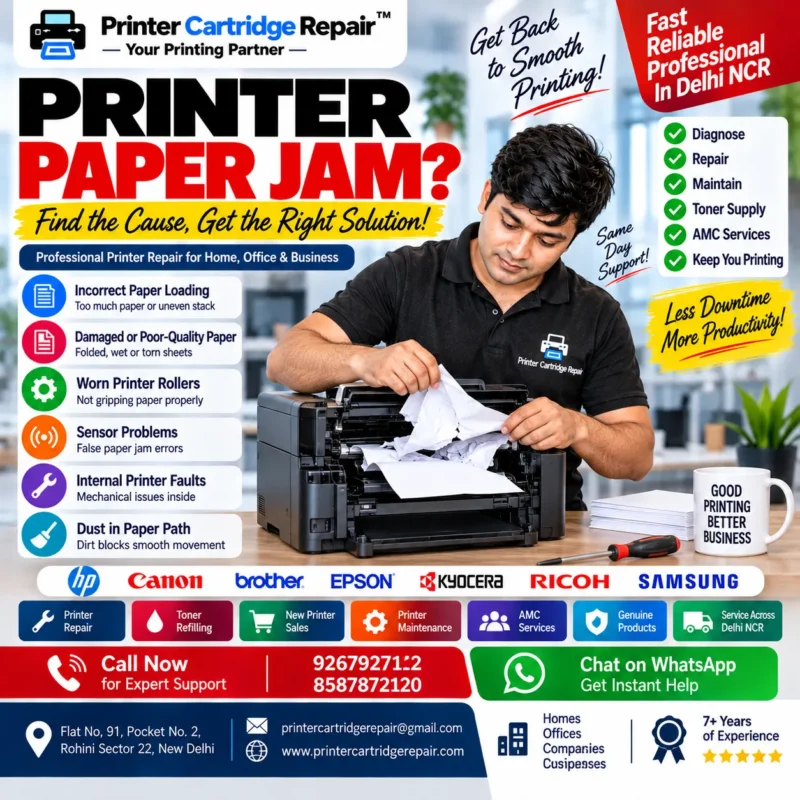
Sometimes a paper jam can be caused by incorrectly loaded paper. In other cases, the problem may be connected to worn rollers, sensors, damaged paper, or internal printer components. Understanding the possible cause is important before attempting to remove the stuck paper.
Printer Cartridge Repair provides printer-related services for homes, offices, businesses, and companies in Delhi NCR. 🏠🏢
🔍 Why Does a Printer Paper Jam Happen?
A paper jam happens when the sheet does not move correctly through the printer’s paper path. The printer may stop automatically to prevent further problems.
There are several possible reasons behind a Printer Paper Jam Problem:
📄 Incorrectly loaded paper
📃 Damaged or folded paper
📦 Too much paper in the tray
🔧 Worn printer rollers
⚙️ Paper sensor problems
🖨️ Internal mechanical faults
💨 Dust inside the paper path
Finding the actual cause can help prevent the same problem from happening repeatedly.
📄 Incorrect Paper Loading
One of the common causes of a Paper Jam in Printer is incorrect paper placement.
Paper should be placed properly inside the tray. If the stack is uneven, folded, or overloaded, the printer may pull multiple sheets or fail to move the paper correctly.
Before printing, check that:
✅ The paper is properly aligned
✅ The paper tray is not overloaded
✅ The paper guides are correctly positioned
✅ The sheets are clean and flat
Proper paper loading can help reduce some common printer paper problems.
📃 Damaged or Poor-Quality Paper
Paper that is folded, wet, torn, or heavily damaged may not move smoothly through the printer.
A printer works with rollers and internal components designed to move paper through a specific path. Damaged sheets can become stuck during this process.
Avoid using:
❌ Torn paper
❌ Folded sheets
❌ Wet paper
❌ Extremely damaged paper
Using suitable paper can support smoother printing and reduce the possibility of repeated Printer Paper Jam issues.
🔧 Worn Printer Rollers
Printer rollers play an important role in picking up and moving paper.
With regular use, these components may become dirty or worn. When rollers cannot grip the paper properly, the printer may:
📄 Pull multiple sheets
🖨️ Fail to pick up paper
⚠️ Show repeated paper jam errors
📃 Stop during printing
A frequently used office printer may require professional inspection if these problems continue.
⚙️ Printer Sensor Problems
Modern printers use sensors to detect paper movement.
If a sensor does not correctly detect the paper, the printer may display a Paper Jam Error even when no paper is visibly stuck inside.
This type of problem may require technical inspection because sensors and internal components can be difficult to access safely.
Repeated false paper jam messages should not be ignored.
🖨️ How to Remove Paper from a Printer Safely
When paper becomes stuck inside a printer, users should avoid pulling it forcefully.
A safe approach may include:
🔌 Turn off the printer if appropriate for the model
📄 Open the recommended access area
👀 Locate the visible paper
🤲 Remove the paper carefully and slowly
🔍 Check for small paper pieces
Always follow the instructions provided for your specific printer model.
If the paper is difficult to reach or tears inside the printer, professional Printer Repair may be the safer option.
⚠️ Printer Keeps Jamming Paper
If your Printer Keeps Jamming Paper, simply removing the stuck sheet may not solve the underlying problem.
Repeated paper jams can indicate:
🔧 Roller wear
⚙️ Sensor problems
📄 Paper path issues
🖨️ Internal mechanical faults
💨 Dirt or dust inside the printer
When the same problem happens repeatedly, the printer should be checked to identify the actual reason.
🏠 Paper Jam Problems in Home Printers
Home printers may develop paper problems because they are sometimes used irregularly.
A home printer can be required for:
📚 Educational documents
📝 Applications
💼 Work-from-home tasks
📄 Personal documents
If your home printer repeatedly jams paper, checking the paper condition and paper tray is a good starting point.
For ongoing problems, professional Printer Repair in Delhi NCR can help identify the technical requirement.
🏢 Office Printer Paper Jam Problems
A paper jam can cause bigger delays in offices because several people may depend on the same printer.
Office printers are commonly used for:
📑 Reports
🧾 Invoices
📋 Business records
📝 Forms
📄 Important documents
A busy printer may experience normal wear and tear because of frequent use.
Regular Printer Maintenance can help businesses identify some equipment issues before they interrupt daily work.
💼 Printer Repair for Businesses and Companies
Businesses and companies often have regular printing requirements. A printer problem can affect employees and delay important work.
Professional printer-related support may be required for:
🏢 Corporate offices
💼 Small businesses
🏬 Commercial locations
📊 Professional workplaces
Printer Cartridge Repair provides services related to:
🔧 Printer Repair
⚫ Toner Refilling
📦 Toner Supply
🖨️ Printer Rental
🆕 New Printer Sales
📋 Printer AMC and Maintenance
Customers can discuss their printer problem and service requirements with the team.
👨🔧 When Should You Call a Printer Repair Technician?
Basic checks may help solve some paper jam problems. However, professional assistance should be considered when:
⚠️ Paper jams happen repeatedly
📄 Paper tears inside the printer
🔧 The printer displays errors continuously
🖨️ The printer cannot pick up paper
⚙️ A paper jam message appears without visible paper
🔊 The printer makes unusual sounds
A professional technician can inspect the printer and identify whether the problem involves rollers, sensors, the paper path, or another component.
📍 Printer Repair Support in Delhi NCR
Printer Cartridge Repair provides printer-related services for customers in Delhi NCR.
Our office location:
📍 Flat No. 91, Pocket No. 2
📍 Rohini Sector 22, New Delhi
We assist customers with printer-related requirements for homes, offices, businesses, and companies.
👨🔧 Akshay has around 7 years of practical experience in printer repairing and related technical services.
⭐ How to Prevent Printer Paper Jams
Regular care can help reduce common paper problems.
📝 Helpful Tips:
✅ Use clean and flat paper
✅ Do not overload the paper tray
✅ Keep paper properly aligned
✅ Avoid damaged sheets
✅ Keep the printer clean
✅ Arrange maintenance when required
These simple practices can help improve paper movement and reduce unnecessary printing interruptions.
📞 Contact Printer Cartridge Repair
If your printer has a repeated Printer Paper Jam Problem, you can contact Printer Cartridge Repair to discuss your service requirement.
📞 9267927122
📞 8587872120
📧 printercartridgerepair@gmail.com
🌐 www.printercartridgerepair.com
📍 Flat No. 91, Pocket No. 2, Rohini Sector 22, New Delhi
🖨️ Final Thoughts
A Printer Paper Jam may be caused by something simple, such as incorrectly loaded paper, or by a technical issue involving rollers, sensors, or internal components.
If your printer keeps jamming paper, identifying the actual cause is more useful than repeatedly removing stuck sheets without checking the underlying problem.
For professional Printer Repair in Delhi NCR, printer maintenance, toner-related services, and other printer requirements, Printer Cartridge Repair can help homes, offices, businesses, and companies discuss suitable service solutions. 🖨️✨